Every bounce. Every revision. Credited.
Lossless delivery, version history that survives the project, and credits attached at the source. The engineer workflow that actually respects your work.

Trusted by people who ship releases
What labels, studios and producers say about working in Vandall.








Vandall should have existed ten years ago, it's exactly what labels need.
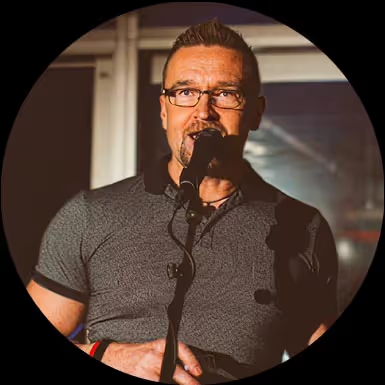 Wemppa Koivumäkiex-CEO Sony Music Finland
Nothing lost between mix and master
Lossless, full stop
WAV, AIFF, FLAC delivered at original sample rate and bit depth. No transcoding, no surprise compression in the pipeline.
Every revision saved
V1, V2, master_v3_LUFS-corrected. Compare side-by-side, restore any version, attach engineer notes per bounce.
Credit at the source
Mix and mastering credits captured on the project, not chased after release. Surfaces on the release page automatically.
Timestamped notes
Artists pin feedback to the waveform. You see "snare 1:42" instead of "around the second chorus."
Sessions and stems welcome
Pro Tools, Logic, Ableton sessions. Stems folders. Reference tracks. All previewable in-app, organized in nested folders.
Links that don't die mid-project
No 7-day countdown. The link the artist got on day one still works on the day of release.


Receive the session
Stems arrive in one folder, not seventeen WeTransfers
The artist drops stems, references, and session notes into the project. You open one place and find everything at original quality. No expired links, no five-part archive, no chasing the missing vocal take.
- Lossless WAV, AIFF, and FLAC pass through untouched at original sample rate and bit depth.
- Up to 10GB per upload, so a full Pro Tools session fits in one drop.
- Stems sit in nested folders alongside the rough mix and reference tracks.

Bounce and revise
V1 to master, every revision keeps its place
Bounce mix v1. Upload it. The artist plays it in the browser and pins comments to the waveform. Bounce v2 with the changes, and v1 stays underneath, never overwritten. Six rounds in, the stack still reads cleanly.
- Every upload becomes a numbered version automatically. No more FINAL_FINAL_v3 in the filename.
- Compare any two versions side-by-side and A/B without leaving the project.
- Engineer notes per revision so "EQ pass on lead vocal" is searchable months later.

How the mix leaves the room
Audio & sessions
- Lossless WAV, AIFF, and FLAC at original sample rate and bit depth.
- Up to 10GB per upload, enough for full sessions, stem folders and reference packs.
- Pro Tools, Logic, and Ableton sessions previewable in-app.
- Nested folders so stems, references, and bounces stay separated.
Versions & feedback
- Every upload becomes a numbered version automatically.
- Side-by-side compare and one-tap restore from desktop or mobile.
- Timestamped comments pinned to the waveform per version.
- Engineer notes per revision, searchable months later.
Credit & paperwork
- Mix and mastering credits captured on the project, not chased after release.
- Credits surface on the public release page when the artist publishes.
- Agreements e-sign in the project with PDF and CSV export.
- Permalinks per version so mastering gets one specific bounce.


Recall and prep for master
Recall notes survive the year between sessions
Six months later the artist comes back for an alt mix. Open the project on your phone, read the notes you wrote on v7, restore the version the master was cut from. The chain stays intact. No DAW archaeology, no guessing which bounce went to mastering.
- Restore any prior version as the current one in a single tap, from desktop or mobile.
- Per-version notes capture the chain: bus settings, reference levels, what the client asked for.
- A permalink per version means you can send the mastering engineer one specific bounce.

Credit and deliver
Your credit travels with the release page
Add yourself as mix engineer on the project once. When the artist publishes the release page, your credit is on it. Same for the mastering engineer. No chasing PR teams, no spelling corrections in DSP backends, no missing line in the liner notes.
- Capture mix and mastering credits at the project level, not on the day of release.
- Credits surface on the public release page when the artist publishes.
- Metadata travels with the file. ISRC, contributors, and roles stay attached.

Efficient, easy access that allows me to go between different bounce updates.
Get paid before the next gig
Sign the agreement once, export the paperwork when accounting asks
Engineering work earns a flat fee, points on the back end, or both. Capture the deal in the project, e-sign once, and you have the PDF when the label needs proof and the CSV when accounting wants a row. No DocuSign back and forth, no scanning a printed page on tour.
- Agreements e-sign in the project: flat fee, points, or hybrid.
- Export PDF for the label and CSV for accounting any time.
- Splits and contributor terms stay attached to the track they describe.

The same project, wherever you are
Open it on the desktop in the studio, on a tablet at the desk, on a phone in the green room. Same project, same versions, nothing to sync by hand.

Questions people ask first
What sample rates and bit depths do you support?
Whatever you upload. We do not re-encode lossless audio. 44.1, 48, 88.2, 96, 192 kHz at 16, 24, or 32-bit float all pass through untouched.
Can I upload a full Pro Tools session?
Yes. Up to 10GB per upload on paid plans. Sessions, stems, and reference folders sit alongside the bounce in the project.
How do you handle revision history?
Every upload is a version. You can compare two versions side-by-side, restore an old one, or attach engineer notes per revision.
Do my credits show up on the release page?
Yes. Credits captured on the project surface automatically on the public release page when the artist publishes.
Does Vandall replace my DAW?
No. Vandall sits next to your DAW. You bounce in Pro Tools or Logic, then upload. Vandall handles the delivery, versioning, feedback, and paperwork around the session. The mixing stays in your DAW.
How do payment terms work for engineering work?
Agreements live in the project. Capture a flat fee, points on the back end, or both. The artist e-signs, and you can export PDF and CSV whenever accounting asks.
Reading on delivery and credit
- GuideMastering and release prepHow a clean version stack and recall notes turn the master pass into a calm hour, not a fire drill.
- ArticleThreaded and timestamped comments are hereHow artist feedback stays tied to the exact second in the exact version.
- Use caseMusic version controlEvery revision saved automatically, side-by-side compare, restore in one click.
- Use caseMusic collaborationHow stems, comments, and access fit together when an engineer, producer, and artist share a project.
- NicheFor producersThe other side of the bounce: link delivery, splits, and analytics for the producer who sent you the stems.
- ArticleWeTransfer alternatives for musicWhy expiring links and re-zipped audio make engineering work harder than it needs to be.
Trusted by creators globally
Creators on every continent use Vandall to share,
collaborate, and close deals, no matter the timezone.
0+
Projects created
50+
Countries